Hosted models, paid for with credits
Claude Haiku 4.5, Sonnet 5.5 and Opus 5.5 run on starnode’s servers. Every account gets monthly credits, and each reply is charged for the tokens it actually used, nothing more.
An AI editor built on VS Code. Keep your extensions and your terminal, sign in once, and use Claude on monthly credits.
Works with the tools already on your machine
Your own python3 in the built-in terminal. input() waits for you.
Your own node, live output and honest exit codes.
Full language support, the same engine VS Code uses.
The ruby on your PATH, with your gems, as you left them.
A real shell, in the folder you opened.
Built-in source control, and a scan that can tell which commits AI wrote.
The servers you already configured, found and listed by the scan.
The extensions you already use, from the Open VSX registry.
Hosted by starnode. Sign in and spend credits, no key to set up.
starnode is VS Code underneath: your interpreters, git and language servers work the way they always have, and the extensions you use come from Open VSX.
starnode is VS Code underneath, so the built-in terminal is your own shell: your interpreters, live output and honest exit codes. input() actually waits for you.
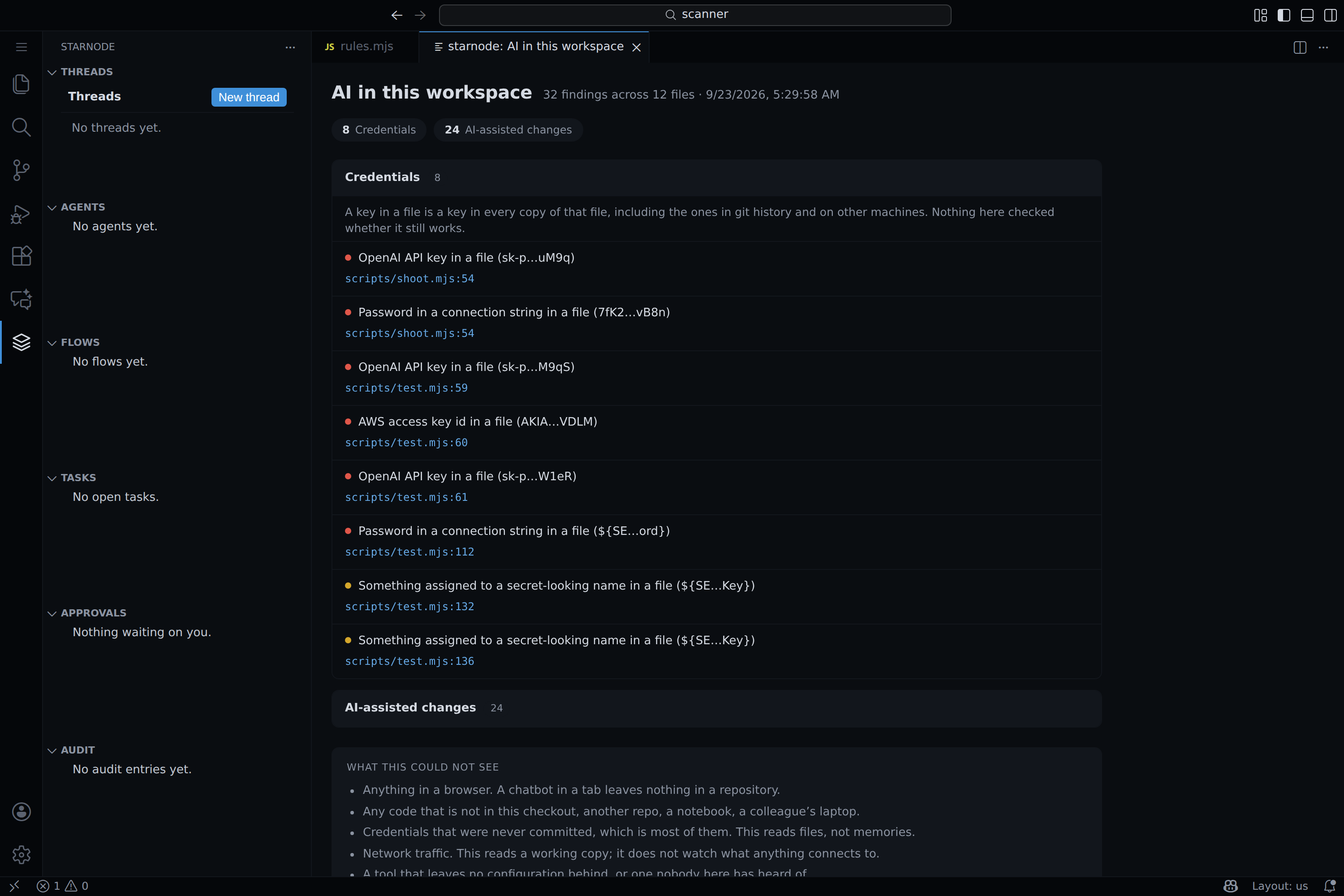
One scan reads the repo and shows where models, keys and agent tools already live. Then it says plainly what it could not see.
Your code stays in the folders you open. The editor’s settings live on your Mac like any editor’s, and your sign-in sits in the system keychain.
Claude Haiku 4.5, Sonnet 5.5 and Opus 5.5 run on starnode’s servers. Every account gets monthly credits, and each reply is charged for the tokens it actually used, nothing more.
Google or email and password, straight from the editor’s Accounts button. The same account works on the website, where you can see your credits and what you spent them on.
One scan lists the model SDKs, committed keys and MCP servers in a workspace, then says plainly what it could not see.
starnode is now a fork of VS Code: the full editor, extensions from Open VSX, a real terminal and git, with the starnode sidebar built in.
Free to start, with 200 credits a month, on macOS. The beta build is unsigned: right-click, then Open, the first time.